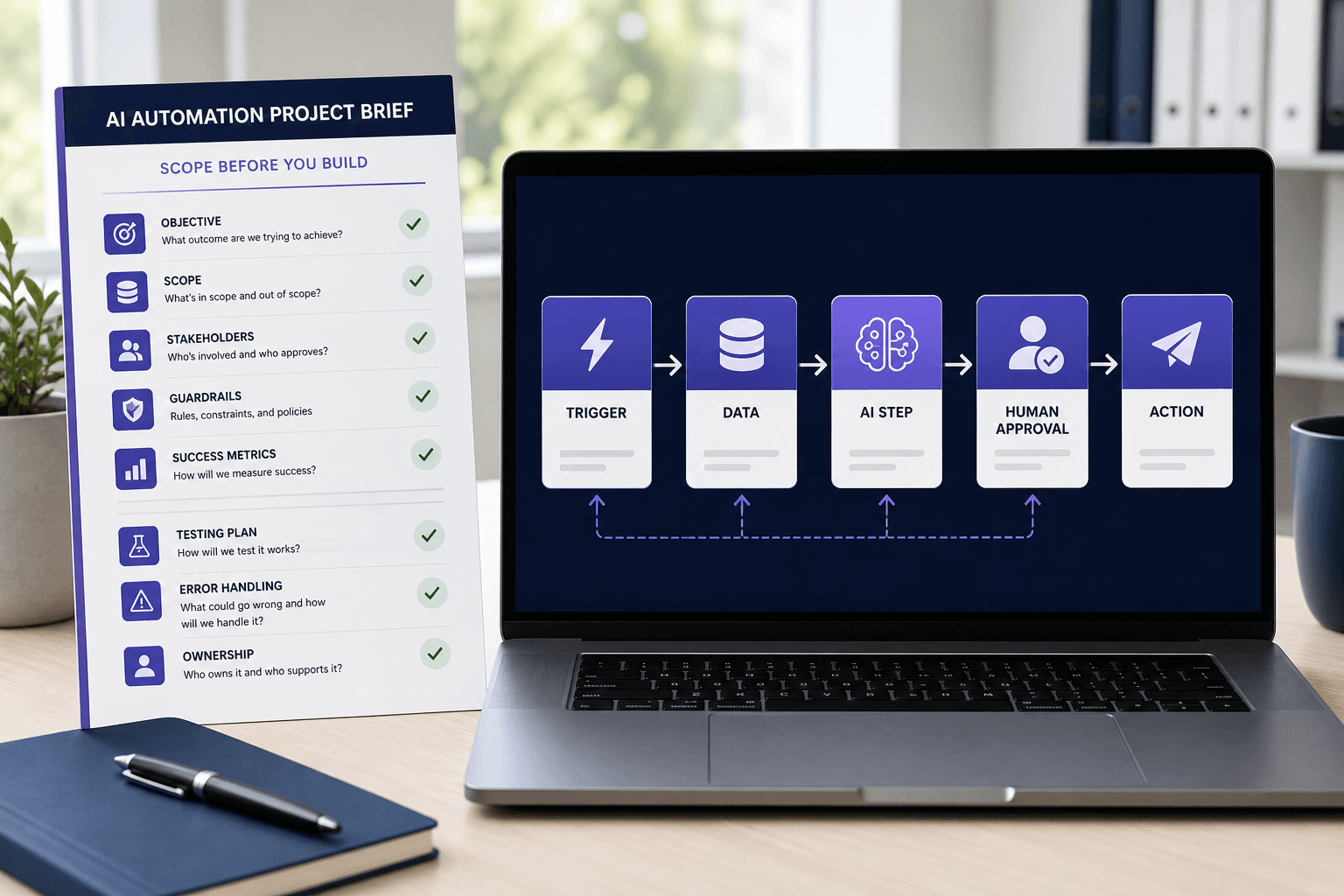
An AI automation project brief turns “we want to automate this” into a workflow that someone can estimate, build, test, and support. It explains the business result, the information moving through the process, where AI is genuinely needed, what can go wrong, and who remains accountable.
That clarity matters whether the work is handled internally or by a specialist. Without it, proposals may describe different solutions, assumptions remain hidden, and a workflow can appear complete while still lacking duplicate prevention, approval gates, monitoring, or a practical handoff.
The short version: Define the outcome and boundaries first. Separate deterministic rules from AI interpretation. Specify exceptions, human decisions, acceptance tests, and ownership before discussing platforms.
If you are still deciding what to automate, start with our AI automation for business guide. It explains which repetitive tasks are suitable first projects and where human checkpoints belong.
We may earn a commission if you purchase a service through the Fiverr link in this guide, at no additional cost to you. This does not affect our editorial criteria or recommendations. Read our disclosure.
Copyable AI automation project brief template
Use the following structure as a starting point. Replace vague statements with examples, sample records, screenshots, field names, policies, and measurable thresholds wherever possible.
PROJECT NAME

1. BUSINESS OUTCOME
Problem to solve:
Desired outcome:
Primary success metric:
Baseline today:

2. CURRENT PROCESS
Trigger:
Steps performed today:
People involved:
Average volume and peak volume:
Known delays or errors:

3. SCOPE
In scope:
Out of scope:
Required systems:
Required inputs and outputs:

4. WORKFLOW LOGIC
Deterministic rules:
AI interpretation or generation steps:
Confidence or policy thresholds:
Human approval points:

5. DATA AND ACCESS
Data fields and sample records:
Sensitive or regulated data:
Required accounts, APIs, and permissions:
Retention and deletion requirements:

6. EXCEPTIONS AND RECOVERY
Expected edge cases:
Duplicate-prevention rule:
Retry and fallback behavior:
Alert recipient and escalation path:

7. ACCEPTANCE TESTS
Successful test cases:
Failure and edge-case tests:
Accuracy, time, and completion thresholds:
Who approves launch:

8. DELIVERY AND OWNERSHIP
Required documentation:
Credential and asset ownership:
Training and handoff:
Post-launch support:
Change approval and ongoing owner:
The template is deliberately platform-neutral. A good brief should allow an expert to recommend Zapier, Make, n8n, custom code, or a combination without changing the business requirement.
1. Start with the business outcome and one primary metric
Describe the operational problem before describing the technology. “Build an AI agent for sales” is not a useful outcome. “Reduce the median time from qualified website inquiry to assigned CRM owner from 45 minutes to under 5 minutes” is specific enough to shape the workflow and test whether it worked.
| Weak requirement | Stronger requirement |
|---|---|
| Automate customer support | Classify new tickets into five approved queues within two minutes, while escalating uncertain, sensitive, and account-security requests to a person. |
| Use AI for invoices | Extract six required fields from emailed invoices, validate them against approved vendors, and send exceptions to finance before any payment action. |
| Follow up with leads faster | Create a deduplicated CRM record, assign an owner, and prepare a reviewable response draft within five minutes of a qualified inquiry. |
Choose one primary metric—processing time, completion rate, handling time, error rate, or another operational measure—and record the current baseline. Secondary metrics can help, but too many can hide the purpose of the project.
2. Document the current process before defining the future one
Write down what actually happens today, including the unofficial workarounds. Note who receives the request, where information is copied, which decisions are rules, which decisions require judgment, and where work is delayed or repeated.
Include frequency and peak volume. A workflow that runs five times per week has different reliability and cost requirements from one that processes thousands of records after a campaign launch. Also state what is explicitly out of scope. A first version might create and route a lead but exclude automatic outreach, enrichment, or deal scoring.
- Attach two or three representative examples, plus at least one difficult example.
- Name the source of truth for every important field.
- Record the human decisions that must remain human.
- Identify upstream and downstream processes that could be affected.
3. Define the workflow contract: trigger, inputs, rules, and outputs
A workflow contract describes what starts the process, what information it receives, what transformations are permitted, and what a successful result looks like. This prevents a common failure: building a polished happy path around inputs that do not match real data.
Trigger and inputs
Specify the event, required fields, optional fields, formats, time zone, expected attachments, unique identifiers, volume, and examples of missing or malformed data.
Outputs and side effects
Specify records created or updated, notifications, drafts, files, status changes, audit data, and any action that could affect a customer or financial process.
Define idempotency or duplicate prevention in plain language. For example: “A submission with an existing form ID must not create another CRM contact; it should update the original record and log the duplicate event.”
4. Separate deterministic rules from AI interpretation
Use normal logic when the answer can be expressed as a stable rule. Use AI for narrow tasks involving unstructured language, documents, images, or ambiguous categories. This makes the workflow easier to test and limits the number of steps whose outputs can vary.
Example boundary
Rule: Route US enterprise leads with more than 500 employees to the enterprise queue.
AI step: Classify the free-text inquiry as sales, support, partnership, or unclear.
Guardrail: If classification confidence or policy checks fail, send the request to manual triage instead of guessing.
For every AI step, document the approved input, intended output format, examples, prohibited actions, uncertainty path, model or provider constraints if known, and whether a person must approve the result. Do not ask a model to make consequential decisions simply because it can generate a plausible answer.
5. List systems, data, permissions, and ownership
Name every system involved and who controls it. Include the form, inbox, CRM, database, model provider, messaging tool, document store, analytics destination, and authentication method. State whether a sandbox or test account exists.
Inventory the minimum data the workflow needs. Flag personal, financial, confidential, or regulated information and define whether it may be sent to an external AI service. Credentials should be stored through the platform’s supported credential mechanism, not pasted into project documentation or source code.
- Who creates and owns service accounts?
- Which permissions are required, and can they be reduced?
- Where are logs stored, and could they contain sensitive data?
- How long are inputs, outputs, and execution records retained?
- Who removes access when a contractor or employee leaves?
6. Specify approvals, exceptions, and failure handling
Human review is useful only when its role is precise. Name who reviews, what they see, the decision they make, the response time expected, and what happens when they reject or ignore an item. “Keep a human in the loop” is too vague to implement.
NIST’s voluntary AI Risk Management Framework emphasizes documented roles, ongoing monitoring, testing, accountability, and clearly differentiated human-AI responsibilities. The framework is being revised, so use the current NIST AI RMF resources as a governance reference rather than treating them as a one-time checklist.
Write the expected response for unavailable APIs, expired credentials, rate limits, missing fields, duplicates, invalid model output, low-confidence classifications, and partial completion. Decide whether each case should retry, pause, skip, roll back, alert a person, or enter a manual queue.
Operational features vary by platform and plan. As of August 30, 2026, official documentation shows that Zapier exposes run statuses, history, logs, and handled-error paths, while Make documents configurable error handlers and incomplete executions. Confirm the current behavior and retention limits of the platform you choose.
7. Turn the brief into acceptance tests
Acceptance criteria are the difference between “the workflow ran once” and “the project is ready for controlled use.” Build a test set before implementation so the builder cannot optimize only for the easiest examples.
| Test group | Examples | Required result |
|---|---|---|
| Happy path | Complete, valid, representative records | Correct output within the agreed time. |
| Input quality | Missing fields, unusual formats, large attachments | Validate, request review, or reject without corrupting data. |
| Duplicates | Repeated event or retried webhook | No unintended duplicate action. |
| AI uncertainty | Ambiguous, conflicting, or policy-sensitive input | Escalate or abstain according to the brief. |
| Service failure | Timeout, rate limit, expired access, downstream outage | Retry or fail safely, log the event, and alert the owner. |
Define who signs off, what evidence they receive, and whether launch is a limited pilot or full release. A useful pilot has a fixed duration, controlled volume, review schedule, and rollback path.
8. Define deliverables, ownership, and maintenance
A workflow is not fully delivered when it merely runs in the builder’s account. The brief should require the artifacts your organization needs to operate it without depending indefinitely on one person.
- Workflow diagrams and an inventory of integrations.
- Configuration notes, prompt versions, and rule definitions.
- Test cases, results, and known limitations.
- Credential ownership and secure transfer instructions.
- Monitoring, alert, recovery, and rollback procedures.
- Training session or recorded handoff.
- Support period, response expectations, and change rates.
Name both a business owner and a technical owner. The business owner decides whether the workflow still produces the right outcome. The technical owner manages access, platform changes, failures, and updates. Also state who pays recurring software and model charges.
Worked example: website lead intake and CRM routing
Outcome: Create a clean CRM record and assign a qualified inquiry within five minutes, while keeping pricing, promises, and outbound messages under sales review.
Trigger: New website form submission.
Validation: Require email, company, consent status, and inquiry text.
Duplicate rule: Match form ID first, then normalized email and company domain.
AI step: Classify inquiry intent into approved categories and produce a short internal summary.
Deterministic routing: Assign by country, account status, company size, and category.
Human approval: A salesperson reviews the summary and any response draft before sending.
Failure path: Invalid, sensitive, or unclear submissions enter a manual triage queue with an alert.
The corresponding acceptance tests should include a normal inquiry, an existing contact, a missing required field, an ambiguous message, a support request submitted through the sales form, an unavailable CRM, and a repeated webhook. For the implementation pattern around this use case, see the AI lead follow-up automation stack.
How to use the brief when comparing automation specialists
Send the same brief and sample data to each candidate. Ask them to explain assumptions, exclusions, platform choice, security boundaries, error handling, testing, documentation, handoff, maintenance, and recurring costs. A thoughtful proposal may challenge part of the brief; that can be useful when the reasoning is clear.
Compare the proposed scope and operating model before comparing price. A cheaper build that omits monitoring, ownership, or exception handling can cost more after launch. Our separate guide explains how to evaluate and hire an AI automation expert.
Compare business automation specialists on Fiverr Pro
If your brief is ready and you want outside implementation help, Fiverr Pro is one place to review business automation specialists. Check relevant work, proposed architecture, failure handling, documentation, asset ownership, maintenance terms, and total recurring cost before hiring.
Compare business automation experts on Fiverr Pro →The brief is the first reliability test
A project brief cannot guarantee a successful automation, but it reveals whether the team understands the process well enough to build one responsibly. If nobody can name the source of truth, failure owner, approval rule, or success metric, the project is not ready for a complex AI layer.
Define the outcome, narrow the AI task, test the exceptions, and assign ownership. The best brief gives a builder enough freedom to choose an appropriate implementation while leaving no ambiguity about what the business must be able to trust.