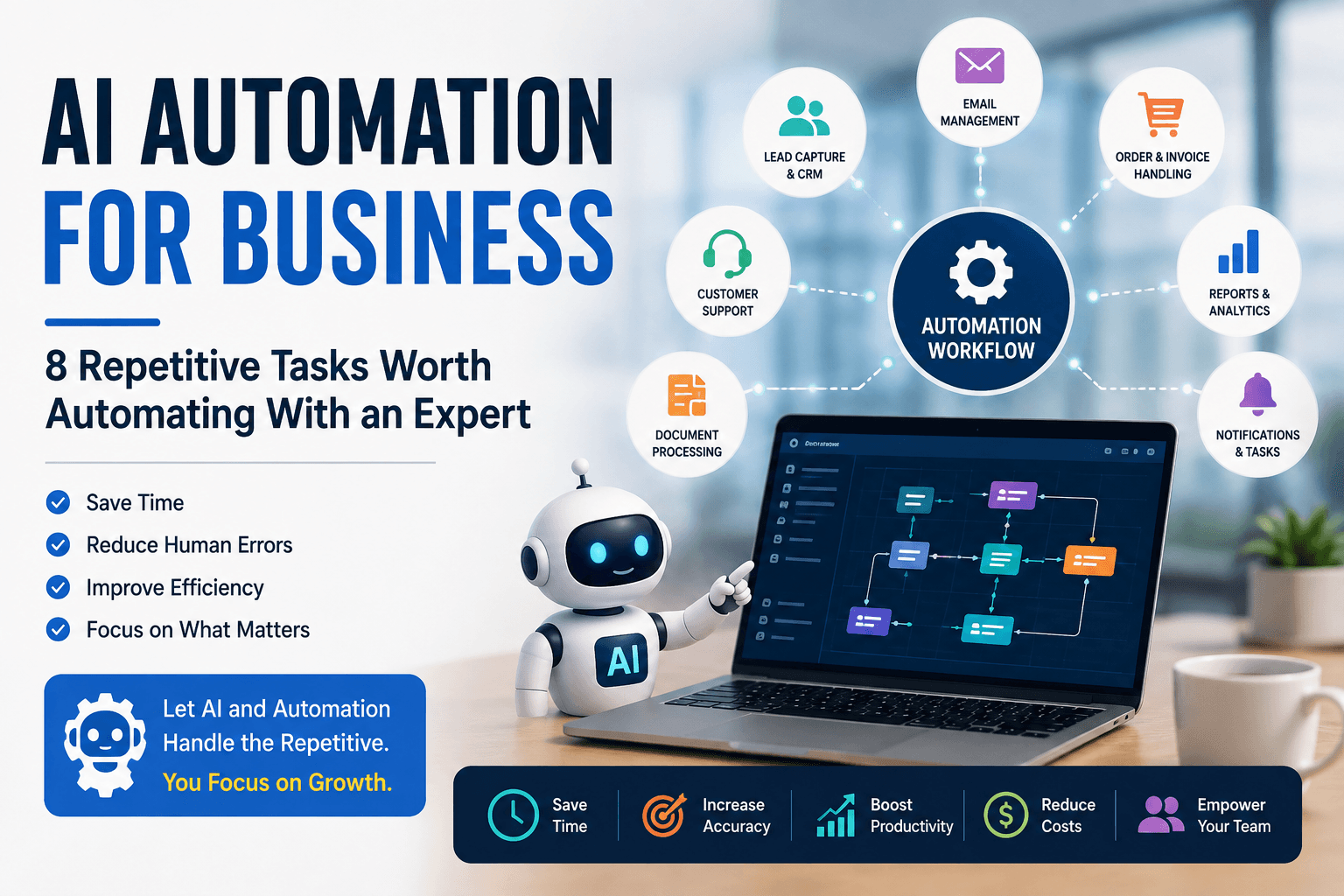
AI automation for business works best when it removes repeated handling from a process your team already understands. Start with work that happens often, follows a recognizable pattern, uses digital information, and produces an outcome you can measure.
That usually means looking beyond the idea of a fully autonomous AI agent. A form-to-CRM workflow, a support-ticket router, or a scheduled reporting process may create more value than a complicated agent that is difficult to test and maintain.
The practical rule: Use conventional workflow automation for predictable steps. Add AI only when the process needs to interpret language, images, documents, or other unstructured information. Keep a human approval step wherever a mistake could materially affect money, rights, privacy, safety, or customer trust.
This guide explains eight strong automation opportunities, how to evaluate them, when a do-it-yourself setup is enough, and when an automation expert may be worth hiring.
We may earn a commission if you purchase a service through the Fiverr link in this guide, at no additional cost to you. This does not affect our editorial criteria or recommendations. Read our disclosure.
Quick answer: what business tasks are worth automating?
The best first candidates are usually repetitive, high-volume processes with clear inputs and outputs. Common examples include lead capture, email triage, support routing, document processing, sales follow-up, content operations, reporting, and internal notifications.
| Business task | Automate the predictable work | Where AI can help | Keep a human involved for |
|---|---|---|---|
| Lead capture | Validate fields, update CRM records, assign owners | Classify intent and summarize inquiries | High-value outreach and ambiguous leads |
| Email operations | Route messages, create tasks, update records | Detect intent, extract details, summarize threads | Sensitive, contractual, or unusual replies |
| Customer support | Create tickets, search approved resources, route queues | Categorize requests and draft responses | Complaints, refunds, security issues, and exceptions |
| Documents and invoices | Collect files, validate fields, prevent duplicates | Extract information from varied layouts | Payments, legal interpretation, low-confidence extraction |
| Sales follow-up | Schedule reminders, update stages, stop sequences | Summarize needs and draft personalized messages | Pricing, commitments, and final approval |
| Content operations | Move approved content through publishing steps | Draft repurposed copy and metadata | Fact-checking, brand judgment, final publication |
| Reporting | Gather data, run fixed calculations, distribute reports | Explain changes and draft narrative summaries | Metric validation and business interpretation |
| Notifications and tasks | Trigger alerts, checklists, ownership changes | Often unnecessary | Exception ownership and escalation decisions |
Workflow automation and AI automation are not the same
The terms are often used interchangeably, but the distinction matters.
Workflow automation follows defined rules. For example: when a contract is signed, create a project, assign an owner, and notify finance. If the input is structured and the rules are stable, AI may add cost and uncertainty without improving the result.
AI automation adds a probabilistic interpretation step. It may classify the meaning of an email, extract fields from differently formatted invoices, summarize a sales inquiry, or draft a response from approved source material.
A reliable combined workflow
Trigger → Validate data → Apply rules → Use AI for a narrow interpretation task → Check confidence or policy → Request human approval when needed → Complete the action → Log the result
This design is usually easier to test than asking an AI system to manage the entire process from beginning to end. Browse the AI automation tools directory, or compare Make vs. Zapier and n8n vs. Zapier after you have mapped the process.
Platform check (August 15, 2026): Official product pages describe n8n as workflow automation for technical teams with visual building, code, and self-hosted deployment; Make as a visual automation platform; and Zapier as no-, low-, and full-code automation built around app connections and trigger-action workflows. Features and plan limits can change, so confirm current documentation before choosing.
1. Lead capture and CRM data entry
Lead management is a strong first candidate because the information normally starts in digital form but is still copied between systems by hand. Leads may arrive through forms, landing pages, advertising platforms, appointment tools, social campaigns, or email.
Example workflow
New form submission → Validate required fields → Check for an existing contact → Create or update the CRM record → Add source data → Assign an owner → Notify sales → Send a confirmation
AI becomes useful when a free-text message needs interpretation. A narrow classification step could label an inquiry as new sales, existing-customer support, partnership or vendor, recruitment, or spam and unrelated. A separate scoring step could flag possible enterprise value without confusing intent and priority.
Define what happens when required data is missing, two records appear to be duplicates, no salesperson is available, or the classifier is uncertain. An ambiguous or high-value inquiry should enter a review queue instead of being routed silently.
Good first pilot: Automate one lead source into one CRM pipeline, then measure time to assignment, duplicate rate, and the percentage of records that need correction.
2. Email classification, summaries, and follow-up tasks
Email often acts as an unofficial intake system. People read each message, decide what it means, copy details into another application, create a task, and forward the thread to the right person.
Example workflow
New email → Apply sender and mailbox rules → AI classifies intent → Extract approved fields → Create or update a task or CRM record → Route to the correct queue → Draft a suggested reply
The useful goal is not to make every email fully automatic. It is to remove the sorting and data-transfer work that happens before a person can address the issue.
Use a restricted mailbox or folder for the first pilot. Limit the fields the system can extract, define categories in advance, and keep sensitive replies in draft. Messages involving contracts, legal claims, account security, personnel matters, or unusual financial requests should bypass automatic responses.
Good first pilot: Route one predictable message type, such as demo requests or invoice receipts, and compare manual handling time before and after launch.
3. Customer support and ticket routing
Support teams repeatedly answer questions about orders, accounts, subscriptions, product setup, and billing. Automation can handle the administrative first layer while leaving judgment and customer care to people.
Example workflow
Customer question → Create ticket → Classify topic and urgency → Search an approved knowledge base → Draft a response → Check confidence and policy → Send for review or escalate → Update ticket status
The knowledge base should be treated as the source of truth. If the system cannot find a current approved answer, it should escalate rather than improvise.
Define escalation rules before launch. Refund requests, threats, possible fraud, security incidents, accessibility needs, repeated failures, and emotionally sensitive complaints should move to a qualified person. Track misrouting and reopened tickets; a faster first response is not an improvement if customers need multiple attempts to get the right answer.
Good first pilot: Automate categorization and agent assignment without sending responses automatically. Add response drafting only after routing quality is acceptable.
4. Invoice, order, and document processing
Document workflows often contain a hidden chain of manual steps: receive a file, download it, read it, copy fields, validate them, update a spreadsheet or finance system, and request approval.
Example workflow
Document received → Store the original file → Check type and sender → Extract required fields → Validate format and totals → Check for duplicates → Create a record → Request approval → Log the outcome
AI-assisted extraction can help when layouts vary. The extracted data should still be validated against fixed rules wherever possible. Totals can be recalculated, vendor IDs matched to an approved list, dates checked, and duplicate invoice numbers flagged.
Do not let a low-confidence extraction trigger a payment or legal commitment. Preserve the original document, the extracted values, the approval record, and an audit trail showing what changed.
Good first pilot: Process one document type from a limited group of known senders and require approval for every transaction during the pilot.
5. Sales follow-up automation
A qualified lead can still go cold because ownership was unclear or the next step was never scheduled. Much of the surrounding administration can be automated without removing the salesperson from the relationship.
Example workflow
Lead enters pipeline → Validate contact and consent data → Summarize the inquiry → Assign an owner → Draft an initial response → Create a follow-up task → Stop when the lead replies, opts out, books, or becomes unqualified
The stop conditions are as important as the send conditions. A reliable workflow must prevent duplicate messages, respect opt-outs, pause when data is incomplete, and avoid continuing a sequence after a human has taken over.
AI can prepare a summary or draft based on the lead's message, but the salesperson should approve pricing, promises, contract language, and other material claims. For a detailed implementation pattern, see the AI lead follow-up automation stack.
Good first pilot: Automate record creation, ownership, and reminders first. Add AI-assisted drafting only after CRM state and stop rules work reliably.
6. Content marketing operations
Generative AI receives most of the attention in content marketing, but the operational steps around a finished asset are often better automation targets. A typical article moves through an idea, brief, draft, editorial review, CMS, distribution, and analytics.
Example workflow
Article status changes to approved → Validate required metadata → Create CMS draft → Generate channel-specific draft copy → Add the URL to the content database → Create newsletter draft → Assign review tasks → Record publication details
Keep the CMS in draft mode until editorial review is complete. Generated social posts and newsletter copy should be checked against the final article, not an earlier draft. The workflow should also preserve the canonical URL, campaign parameters, image rights, and approval status.
Good first pilot: Start after editorial approval. Automate distribution preparation, not topic selection or automatic publication.
7. Reporting and data summaries
Weekly and monthly reports frequently require the same sequence: log in, export data, update a spreadsheet, calculate metrics, write a summary, and distribute the result.
Example workflow
Scheduled trigger → Collect data from approved sources → Validate date ranges and completeness → Store a snapshot → Calculate defined metrics → Flag missing or unusual values → Draft a narrative summary → Send for review → Distribute
The calculations should be deterministic. Let code or spreadsheet formulas calculate revenue, conversion rates, and variances; let AI explain the already-calculated results in plain language. This reduces the risk that a language model invents a number or applies an inconsistent formula.
Every report should show its reporting period, source systems, refresh time, and any missing data. A manager needs to know whether a surprising change reflects the business or a failed data connection.
Good first pilot: Automate one recurring report whose definitions are already agreed upon. Compare data accuracy, preparation time, and late-delivery rate.
8. Internal notifications and task creation
Some of the highest-value automations need no AI at all:
- Payment received → notify finance.
- Contract signed → create a project and onboarding checklist.
- Deal moves to a new stage → create the next task.
- New employee added → start the onboarding workflow.
- Support issue escalated → notify the account owner.
- Project completed → schedule a customer follow-up.
These workflows use a clear trigger and a defined action. Their main risks are duplicate events, missing owners, alert fatigue, and silent failures—not language understanding.
Make each action idempotent where possible, meaning the same event cannot create duplicate projects or tasks. Send failure alerts to a named owner, and review whether notifications lead to action or merely create more noise.
Good first pilot: Choose one event with a clear owner and a visible result, such as a signed contract creating a standard project checklist.
How to decide whether a task is worth automating
Before choosing a tool, document the current process. Record who performs it, how often it runs, the systems involved, average handling time, common exceptions, and the cost of mistakes or delays.
Capacity estimate
Gross monthly hours = runs per month × minutes per run ÷ 60
Financial screen
Break-even period = initial implementation cost ÷ estimated monthly net benefit
Estimated monthly net benefit should subtract platform and maintenance costs from the value of recoverable time and measurable avoided costs. Treat the result as a planning estimate, not a guaranteed return. Time released creates value only if the team can use it productively.
Seven questions to ask
- Does it happen frequently enough to matter? A small saving becomes meaningful only when the task repeats often or blocks an important outcome.
- Are the rules stable and explainable? If experienced employees disagree on the process, improve it before automating it.
- Are the inputs and outputs digital? Manual transfer between apps is a strong signal, especially when APIs or native integrations exist.
- Can exceptions be identified? The workflow needs a route for missing, conflicting, duplicate, or low-confidence data.
- Can success be measured? Choose cycle time, manual touches, correction rate, missed follow-ups, cost per run, or failure rate.
- Is the risk proportionate? Start with reversible, low-impact actions and add approvals for money, access, legal terms, safety, and customer commitments.
- Will someone own it after launch? Every production workflow needs monitoring, documentation, and a person responsible for changes.
What should not be fully automated with AI?
Do not give an AI system final authority over a consequential action merely because it can produce a plausible answer. High-impact workflows usually need a qualified decision-maker, an approval gate, or both.
- Sending or releasing payments
- Accepting contracts or changing legal terms
- Employment, credit, insurance, eligibility, or access decisions
- Individual medical, legal, tax, or financial advice
- Security permission changes or confidential-data sharing
- Safety-critical or irreversible account actions
- Unusual complaints, suspected fraud, or emotionally sensitive cases
AI may still assist with intake, extraction, summarization, or drafting in these areas, but the workflow should preserve source material, identify uncertainty, make escalation easy, and keep accountable people in control. For higher-impact deployments, the voluntary NIST AI Risk Management Framework provides a broader structure for governing, mapping, measuring, and managing AI risk.
DIY automation vs. hiring an automation expert
A do-it-yourself build may be enough when the workflow has one trigger, one or two actions, supported app connectors, low data sensitivity, modest volume, and an obvious way to recover from errors.
Specialist help becomes more useful when the workflow involves several systems, custom APIs, webhooks, authentication, complex data mapping, deduplication, branching logic, AI prompts, rate limits, security controls, or production monitoring.
A good DIY starting point
- One trigger and one or two actions
- Supported native connectors
- Low-sensitivity data
- Modest transaction volume
- Simple recovery from errors
When specialist help adds value
- Several connected systems or systems of record
- Custom APIs, webhooks, or authentication
- Complex mapping, branching, or deduplication
- Sensitive information or consequential actions
- Production monitoring and maintenance
Optional implementation support
Find a business automation expert on Fiverr Pro
For multi-app CRM, email, reporting, document, and API workflows, compare specialists whose portfolio and handoff approach match the systems your team already uses.
We may earn a commission if you purchase through the link below, at no additional cost to you. Disclosure details.
Browse business automation experts on Fiverr Pro →The tool should follow the process—not the other way around. A well-defined workflow can often be implemented in n8n, Make, Zapier, Power Automate, custom code, or a combination. The important questions are whether it meets the requirements, fails safely, and can be maintained by the people who will own it.
What a production-ready handoff should include
- A workflow diagram and written scope.
- A list of connected systems, permissions, and data fields.
- Test cases for the normal path and important exceptions.
- Duplicate prevention, retries, timeouts, and failure alerts.
- A human-review path for low-confidence or high-impact actions.
- Secure credential handling and least-privilege access.
- Logs that make failures and material actions traceable.
- Documentation for editing, pausing, exporting, and restoring the workflow.
- Clear ownership of accounts, source code, prompts, and deliverables.
- A defined post-launch support or maintenance period.
How to write a useful project brief
Avoid a vague request such as “automate my business.” Give the specialist a narrow outcome and an acceptance test.
When a qualified lead submits our website form, create or update the contact in our CRM, preserve the original source, assign the correct salesperson by territory, prepare a draft reply, and alert an owner if any step fails. Do not send the reply automatically during the pilot. The workflow must prevent duplicates, respect opt-outs, and include documentation and test results.
Include the apps involved, approximate monthly volume, representative sample data, known exceptions, security constraints, and the metric you want to improve. Share credentials through an approved access method rather than placing passwords or long-lived API keys in a project message.
Optional implementation support
Browse business automation experts on Fiverr Pro
If the workflow is clearly scoped but your team lacks the integration skills, Fiverr Pro is one place to compare business automation services for CRM, email, reporting, document, and API workflows. Evaluate relevant work, testing and failure handling, deliverable clarity, ownership, documentation, security expectations, maintenance terms, and total cost before expanding a project.
We may earn a commission if you purchase through the link below, at no additional cost to you. Disclosure details.
Browse business automation experts on Fiverr Pro →An illustrative lead-automation design
Imagine a B2B company receiving 50 website inquiries per business day. This is an illustration, not a claim about a specific company or a guaranteed result.
Manual process: Check form → Copy contact data → Create CRM record → Read inquiry → Decide priority → Assign salesperson → Draft follow-up
- Receive the form submission and store the original payload.
- Validate required fields and normalize names, email addresses, and company data.
- Search the CRM for an existing contact before creating a record.
- Ask an AI model to classify and summarize the free-text inquiry.
- Route low-confidence or policy-sensitive results to a review queue.
- Create or update the CRM record and preserve source data.
- Assign the salesperson using explicit territory and availability rules.
- Prepare a follow-up draft from approved templates and the inquiry summary.
- Notify the salesperson and record the workflow result.
- Alert an owner if any step fails, then retry only where doing so is safe.
The salesperson still owns the relationship. The automation reduces administrative handling and creates a more consistent process around it.
Measure the pilot with baseline and post-launch data: time to assignment, manual touches per lead, duplicate rate, correction rate, workflow failures, and the share of cases escalated for review. Only expand after those metrics are acceptable.
A safer rollout plan
- Map the current process. Observe real work, including exceptions and unofficial workarounds.
- Choose one measurable outcome. Do not combine lead routing, support, invoicing, and reporting into the first project.
- Build with test data. Use a sandbox or limited data set and the minimum permissions required.
- Test failures deliberately. Try missing fields, duplicates, timeouts, invalid files, conflicting rules, and low-confidence AI outputs.
- Launch with human review. Keep consequential actions in draft or approval mode until performance is understood.
- Monitor the workflow. Track errors, exceptions, manual corrections, cost per run, and changes to connected apps or APIs.
- Document and assign ownership. A workflow without an owner becomes operational debt.
Start with the most repetitive task—not the most impressive AI demo
You do not need to automate an entire company. Start with one stable process that consumes time, delays customers, or creates avoidable errors.
Write down each step and ask which ones require genuine human judgment. Automate the predictable handling around those decisions, add AI only where it has a specific interpretation job, and make exceptions visible.
The best business automation is not the one with the most tools. It is the one that produces a reliable result, fails safely, and gives people more time for work that benefits from context, accountability, and judgment.
Editorial approach
AI Linkbase prepared this guide as a process-selection framework, not as a report of work performed for a specific client. The workflows are illustrative and were evaluated for repetition, rule clarity, digital readiness, measurable outcomes, and failure impact. No individual freelancer or service listing is endorsed. Platform features, API access, and account requirements can change, so verify them with each provider before implementation.